Skip to content
ZAP Internet

ZAP Internet

Immerse Yourself in Gaming, Embrace the Realm of Smart Homes, and Explore the Universe of Gadgets

Primary Menu
  • Home
  • Gadgets For Life
  • Gaming Corner
  • Smart Home & Internet
  • About Us
  • Contact Us
  • Home
  • Application Zone
  • The business of Vine: how the short-form video app changed the social media landscape

The business of Vine: how the short-form video app changed the social media landscape

Danilo Bianchi 3 min read

When Vine was released in 2013, it was like nothing the social media world had ever seen. With its 6-second videos, Vine allowed users to share quick snippets of their lives with friends and family. The app was eventually bought by Twitter, and has since been discontinued. But its legacy lives on in the way we share content online. When Vine was first released, it was met with skepticism. How could something so short and seemingly pointless be successful? But Vine quickly proved that there was a demand for quick, bite-sized videos. And as user numbers grew, so did the app’s popularity.

Vine changed the social media landscape by popularizing short-form video content.

YouTube had been around for years, but it was mostly used for longer videos. Vine made it easy to share quick videos with friends and family. And as smartphones became more prevalent, people were looking for ways to kill time while on the go. Vine was the perfect solution.

The app also popularized the concept of the “loop.”

Since Vine videos were only six seconds long, they had to be looped in order to be watched continuously. This led to some creative and innovative videos that were designed to be looped over and over again. And as Vine grew in popularity, loops became a staple of social media video content.

Today, we see the influence of Vine in apps like TikTok and Instagram Reels.

These platforms have taken the concept of short-form video and run with it. And while Vine may no longer be around, its impact on the social media landscape is still being felt today.

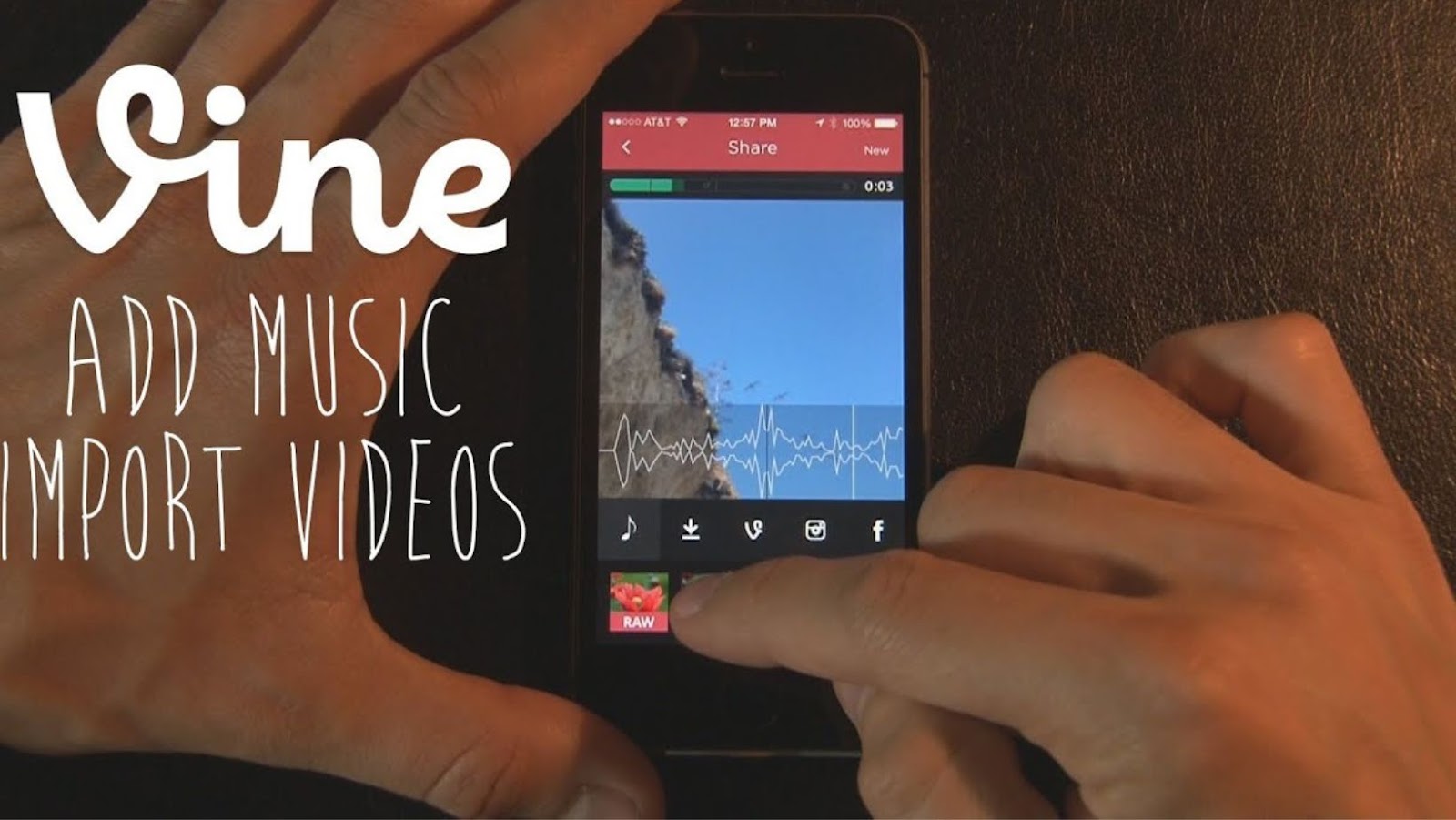
How to add music to a vine

Adding music to a vine can add a whole new level of creativity and fun to your videos. Here are a few tips on how to add music to your vines:

1. Choose the right song.

When adding music to your vine, it’s important to choose the right song. You want a song that will complement the video, and that won’t get old after a few loops.

2. Find a creative way to incorporate the music.

Don’t just add music to your vine for the sake of it. Find a creative way to incorporate the song into the video. This could be done by lip syncing, using the music to add energy to the video, or by matching the visuals to the song.

3. Use a Vine-specific app.

There are a few apps that are specifically designed for adding music to vines. These apps will make it easy to find the right song and add it to your video.

4. Make sure the audio is high quality.

Nobody wants to listen to a vine with low quality audio. When adding music to your vine, make sure the audio is high quality. This will make the video more enjoyable to watch.

5. Add sound effects.

In addition to music, you can also add sound effects to your vine. This can add another layer of creativity to your video.

By following these tips, you can add music to your vine and create a video that is both creative and enjoyable to watch.

What are some of the biggest brands on Vine, and how have they succeeded there?

Some of the biggest brands on Vine are Pepsi, Coca-Cola, Samsung, and Nike. All of these brands have succeeded on Vine by creating creative and entertaining videos. They’ve also been successful in using Vine to give away prizes and promote their products.


Continue Reading

Previous: Easiest way to increase brightness on apple mac
Next: Get real time notifications for new view count on Tiktok app

Tech Articles

Airpods: the perfect audio experience for any activity 1

Airpods: the perfect audio experience for any activity

Enable Themes on iMovie hearing exsolarwinds solarwinds 2

Enable Themes on iMovie

Emoji Cleanup and Removal for iPhone Users inside world wide consortiumlapowskyprotocol 3

Emoji Cleanup and Removal for iPhone Users

Take a video without a audio 4

Take a video without a audio

Why you should disable your iPhone hotspot 5

Why you should disable your iPhone hotspot

See who’s listening to your show on Spotify 6

See who’s listening to your show on Spotify

Related Stories

Inside TheGossipWire: What It Covers, How It Works, And How To Use It Safely (2026 Guide) thegossipwire
3 min read

Inside TheGossipWire: What It Covers, How It Works, And How To Use It Safely (2026 Guide)

Anwire: The 2026 Guide To What It Is, How It Works, And Whether You Should Use It anwire
3 min read

Anwire: The 2026 Guide To What It Is, How It Works, And Whether You Should Use It

Trading Journal: Your Path to Consistent Trading Success trading journal, trading journal template, trading journal software, trading journal app, trading journal excel, best trading journal, trading performance tracking, trading success strategies, trading record keeping, trading analysis tools
5 min read

Trading Journal: Your Path to Consistent Trading Success

Overcoming Common Entrepreneurial Challenges in 2024 entrepreneurial challenges 2024, business challenges 2024, startup challenges, entrepreneur strategies 2024, business growth strategies, overcome business obstacles, entrepreneurship trends 2024, small business success tips, business strategy guide, startup success strategies
3 min read

Overcoming Common Entrepreneurial Challenges in 2024

Google Ads Marketing & Management Tools in 2025 google ads management, google ads strategies 2025, google ads campaign management, google ads optimization, google ads services, google ads agency, google ads expert 2025, paid search management, ppc management 2025, google ads consultant
9 min read

Google Ads Marketing & Management Tools in 2025

A Practical Approach to the Use of Bring Your Own Internet for Exhibitors and Event Organizers portable internet, event internet, internet solutions events, temporary wifi rental, event wifi services, portable wifi event exhibitors, trade show internet, exhibition internet rental, mobile internet events, event connectivity solutions
6 min read

A Practical Approach to the Use of Bring Your Own Internet for Exhibitors and Event Organizers

4926 Solmolas Road
Telos, IL 72564
  • Home
  • Privacy Policy
  • Terms and Conditions
  • About Us
  • Contact Us
Zap Internet © 2026 All rights reserved.